Exploring the Features of Rugged Displays
- Jayden Lee
- May 6
- 4 min read

Rugged displays have become essential tools in industries where durability and reliability are non-negotiable. Whether in defense, medical, or aviation sectors, these displays must perform flawlessly under tough conditions. I want to share what makes rugged displays stand out and how they meet the demands of challenging environments.
What Makes a Display Rugged
Rugged displays are built to handle more than just everyday use. They resist shocks, vibrations, extreme temperatures, dust, and water. This toughness comes from special design choices and materials that protect the screen and internal components.
Here are some key features that define rugged displays:
Durability: They use reinforced glass, often Gorilla Glass or similar, to prevent cracks and scratches.
Sealing: IP ratings (like IP65 or higher) ensure protection against dust and water.
Temperature Range: They operate in wide temperature ranges, from freezing cold to scorching heat.
Shock and Vibration Resistance: Internal components are mounted to absorb shocks and vibrations.
Sunlight Readability: High brightness and anti-reflective coatings make screens visible outdoors.
These features make rugged displays reliable in places where regular screens would fail quickly.

Rugged display with reinforced glass and sealed edges designed for harsh environments
How Rugged Displays Serve Different Industries
Each industry has unique needs, and rugged displays adapt to meet them. For example, in defense, displays must survive battlefield conditions. In medical settings, they need to be easy to clean and reliable during critical procedures. Aviation requires displays that work well in varying altitudes and lighting.
Defense Applications
Military equipment often faces rough handling, dust, moisture, and extreme temperatures. Rugged displays in this sector are built to meet military standards like MIL-STD-810G, which tests for shock, vibration, and environmental extremes.
Medical Use
In hospitals and clinics, displays must resist frequent cleaning with harsh disinfectants. They also need to provide clear images for diagnostics and patient monitoring. Touchscreens are common, and they must respond accurately even when used with gloves.
Aviation Needs
Cockpit displays must remain visible in bright sunlight and function reliably despite changes in pressure and temperature. They also need to be compact and lightweight without sacrificing durability.
Comparing Rugged Display Solutions
To understand rugged displays better, I looked at two products that show how these features come together in real devices.
IDS Display’s Rugged Touchscreen Monitor
This monitor offers a 15.6-inch screen with a brightness of 1000 nits, making it easy to read outdoors. It has an IP65 rating, so it’s dust-tight and protected against water jets. The touchscreen supports multi-touch gestures and works with gloves, which is great for medical or field use.
The monitor meets MIL-STD-810G standards, ensuring it can handle drops and vibrations. It also operates in temperatures from -20°C to 60°C, covering most harsh environments.
You can find more details on the IDS Display Rugged Touchscreen Monitor.
Another Example: Industrial Rugged Display
This product features a 21.5-inch screen with 1200 nits brightness. It has an IP67 rating, which means it can be submerged in water temporarily. It also supports sunlight readability and has a wide temperature range from -30°C to 70°C.
The display is designed for industrial control rooms and outdoor kiosks, where durability and visibility are critical.
Both products show how rugged displays balance toughness with usability. The choice depends on the specific needs of the environment and tasks.

Rugged touchscreen monitor used outdoors with glove interaction
What to Look for When Choosing a Rugged Display
If you’re considering rugged displays for your business, here are some factors to keep in mind:
Environmental Conditions: Know the temperature, moisture, dust, and shock levels the display will face.
Screen Size and Resolution: Choose a size that fits your workspace and a resolution that meets your clarity needs.
Touchscreen Capability: Decide if you need touch input and whether it should work with gloves or styluses.
Brightness and Visibility: For outdoor use, high brightness and anti-glare features are essential.
Mounting Options: Consider how the display will be installed or carried.
Compliance and Standards: Look for certifications like MIL-STD-810G or IP ratings that match your requirements.
For those new to rugged displays, I recommend checking out a what is a rugged display guide to get a solid understanding of the basics.
The Role of Customization in Rugged Displays
Many businesses need displays tailored to their specific needs. Customization can include:
Adjusting screen size or shape
Adding specialized connectors or ports
Enhancing brightness or touch sensitivity
Integrating with other equipment or software
IDS Display offers custom-engineered solutions that fit unique requirements. This approach ensures the display performs well in the exact conditions it will face.

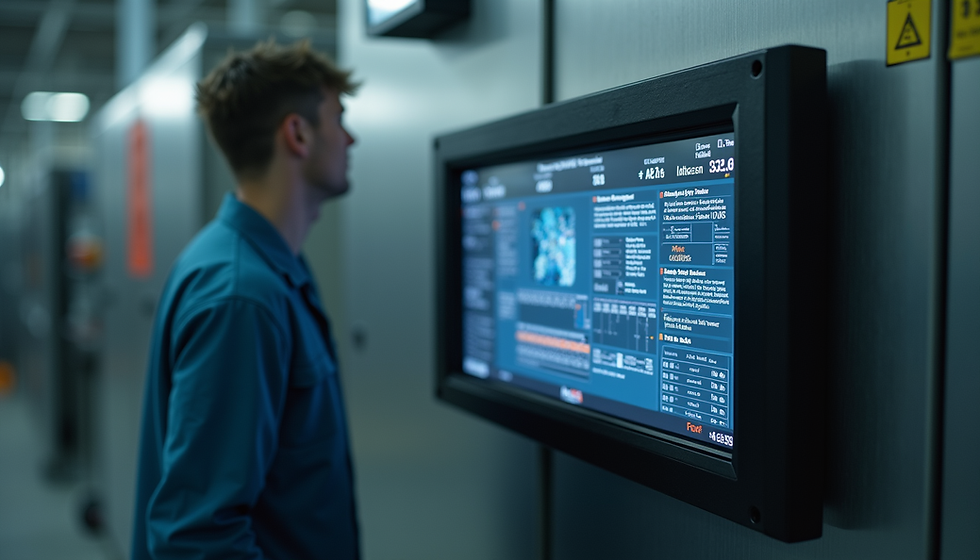
Rugged display mounted with custom bracket in industrial environment
Final Thoughts on Rugged Displays
Rugged displays are vital for industries that demand tough, reliable screens. Their design protects against damage and ensures clear visibility in challenging conditions. Whether you need a compact touchscreen for medical use or a large, bright display for outdoor operations, rugged displays offer solutions that last.
Choosing the right rugged display means understanding your environment and tasks. Products like the IDS Display Rugged Touchscreen Monitor show how durability and usability come together. Custom options add even more value by fitting your exact needs.
If you want a dependable display that won’t fail when it matters most, rugged displays are the way to go. Start by exploring options and learning more about their features to find the best fit for your business.


Comments